Submitting a request
You made a project in the last chapter. Now tell dira what you want out of it.
Submitting a request, issuing a ticket
Two buttons sit at the top right of the board. New request on the right is the front
door. New ticket on the left is the side road.
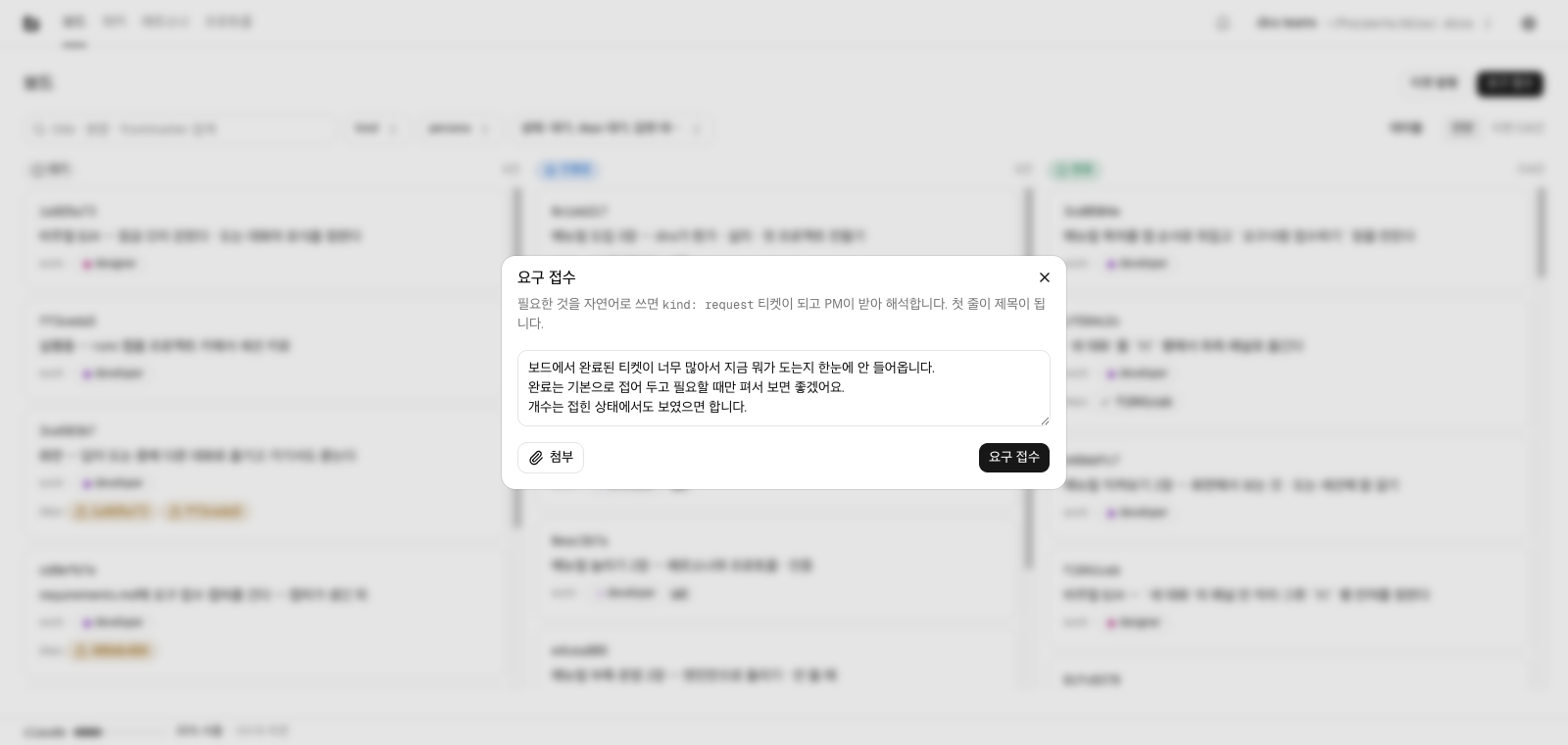
New ticket makes you choose the title, the kind, the persona, and the deps yourself. It is a
form for someone who already knows what happens, who does it, and in what order.
New request is one field of plain language. Nothing needs splitting up first. Write what
you want in whatever sentences you want; the splitting is the next section's job.
- The first line becomes the title (cut at 80 characters). You do not write a title separately.
- The body is stored exactly as you wrote it. The app does not reword your sentences or fill in a skeleton.
⌘/opens this field from anywhere inside the project. The button lives on the board only, but a request can occur to you while you are looking at a worker or reading a ticket.- Once it is in,
Request received. The PM will review it shortly.appears in the same spot. The screen does not drag you anywhere; press theSee the request you submittedlink below it to go to that request in detail. If you had an epic selected when you submitted, this sentence names that epic instead (Epics).
What happens after you submit
Submitting makes one kind: request ticket in the queue, assigned to the pm persona.
Within a minute a worker takes that ticket and starts a pm session. The pm session reads and
splits. One request turns into several work tickets, each with its persona set and as many
deps as the order needs. Each split ticket carries the hash of the original request in req:.
A hash is the eight-character name every ticket gets. That is why the request detail shows you
the tickets it became, and why a ticket detail takes you back to the request it came from.
When the splitting is over, the original request goes to Done. That does not mean the work is
finished. It means the interpretation is finished. The actual work is in the tickets below
it, and workers take those one by one, each starting a session as its own persona.
Asking back, and Awaiting answer
When pm decides it cannot split something, it does not guess. It leaves a question and takes its hands off.
That request then wears an Awaiting answer badge on the board, with the number of days it has
been sitting there. Open the request detail and the question is in the thread, with a field
underneath for your answer. Write the answer and the request goes back to Open, and this
time the pm session reads your answer along with everything else and carries on. It may ask more
than once. Questions and answers pile up in the thread, paired by number.
Until an answer is there, no worker touches that request. It is locked so that sessions do not
burn asking the same question over and over. So Awaiting answer is not a fault. It is a step
that was in the design from the start, and it stands there waiting for you.
Your part in this
You put in a request, pm splits it, and workers take the split tickets one at a time. Where one of them gets stuck, someone asks, and you answer. Writing tickets and deciding who to hand them to is not your job.
There are times you will want to write one yourself: a single bug, a single typo, anything with nothing to split. That is in Writing a ticket yourself.
Next is The screens.